Dot Log

By . Updated on

Pip, an OpenAI Dot

I got an OpenAI Dot for personal use and I'm trying to figure out if it's worth being on the more expensive Pro plan required to use it.

A Dot is a persistant agent with its own computer. It can connect to yours as well, I haven't tried that so far. A less clawy OpenClaw with no need for a Mac Mini.

There is plenty of competition, Meta Muse of course, GrokBot, numerous startups. Dot appealed to me because I've been loving Astra in Codex. For various reasons I'm not on Facebook or X and have no desire to return.

So what is it good for?

Software development on the go was the main draw for me. So far it's fixed three bugs and shiped a feature on this blog, all via GitHub integration and the Dots ability to drive Codex. It also has a connection to my Todost and has added tasks for me to review the bug fixes later. The blog ships straight from GitHub and was live as soon as I approved the PR. Nothing very complicated so far but I'm really digging the ease of use for knocking these off.

I want to do a better job of going out for dinner from time to time and it has scheduled a nice French restaurant complete with calendar appointment and reminder. If all goes well it will continue to do this every few weeks.

I'm travelling heavily at the moment and it booked me an Uber for a trip to the airport this morning. My next stop is New Orleans and the first hurricane of the year is about to hit the Gulf Coast. The Dot has been monitoring the weather and my flight and sending updates every few hours which has lowered my stress level. Lastly it has just emailed a hotel to try and negotiate an early checkin.

The downsides so far are risk and platform support. It has a lot of access and so if it goes off the rails it could do some real damage. Is the convenience worth the risk? I suspect it will be, and I've let it do more as I've come to trust it more.

I do a lot of Windows and Android development and the Linux box it has access to is great for logging into Uber but not so good for these workloads. I might need another virtual box somewhere for it to be really useful to me.

I plan to update this post as I learn more...

Updated 2026-10-19 01:41:

Here's a nice hack - I'm working on a fairly complex project and I felt the need for a backlog. I built this in Todoist and now the Dot is checking a label for work. If it has questions it replies as a comment in the task, so everything stays together rather than trying to untangle the main chat. If it's done it marks the Todoist item as complete. I built something like this last year, and it works great for well defined tasks but the Dot unsurprisingly has a lot more flexibility. There is a Todoist plugin for ChatGPT so this is very easy to set up. If you want to get fancy Todoist supports Kanban boards but a simple list is working fine for me so far.

Aurora and Wake Word Detection

Aurora Wake Word Detection

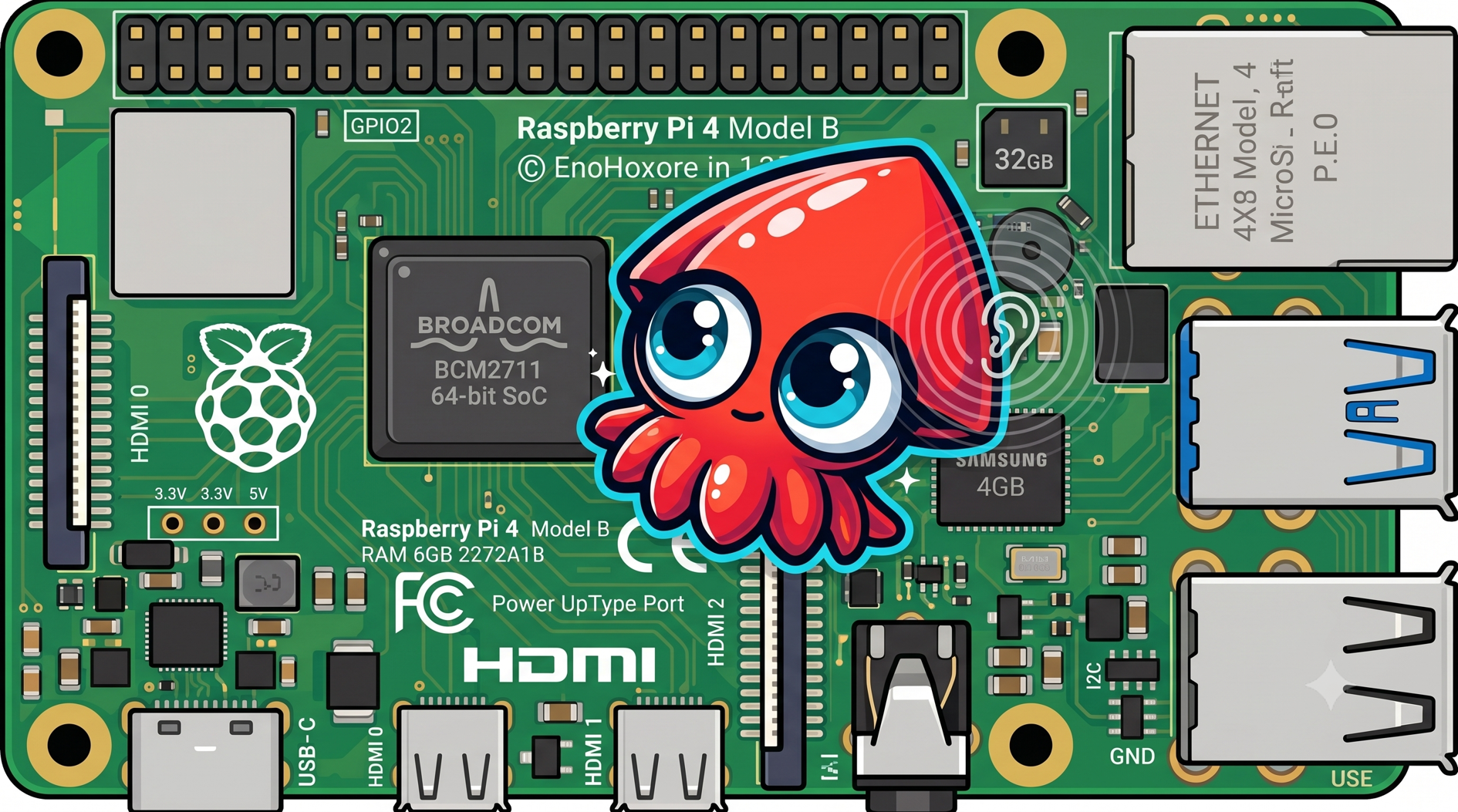
Aurora is my open source Rasperry Pi voice assistant, based on the OpenAI Realtime API. I just shipped native wake word detection, including a trained model (Aurora), a training pipeline and on-device support for gathering training data from your long suffering household ("Aurora, learn how I say your name").

When I first built this project I used Porcupine from Picovoice. They had a free one seat version that worked great for this, but sadly they're pulling the plug at the end of this month. I can't afford their commercial license for an open source assistant so I urgently needed a replacement.

OpenWakeWord is the obvious replacement and seems quite popular with the Home Assistant community. The training notebook does not work though, and some alternatives suggested in the comments wouldn't run for me either. Maybe I'll go back to this if it comes back to life but it didn't look like a good bet for now.

I turned of course to Claude Code. To start with it agreed with the OpenWakeWord intuition but after some persuasion it put together a small CNN (looking at a spectrogram of the current audio capture) and trained and tuned it based on synthetic data. This worked surprisingly well. I'm in the process of fine tuning the model with samples captured from the Raspberry Pi from various family members (kicking off a data capture session is now a feature of the assistant). The detector is a drop in replacement for Porcupine so if you're looking to replace Picovoice that would be a good starting point.

If you use Aurora upgrade to the latest code and then follow the instructions in .env.example to migrate from Porcupine. You can use aurora.onyx to get up and running immediately, or see the wake_word folder readme to train your own from scratch. If you use the Raspberry Pi sample collection copy those files into the data folder and retrain to improve the model.

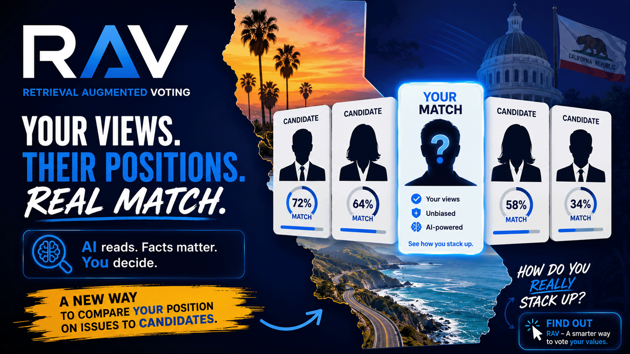
Find your candidate in the California June 2026 governor primary with Retrieval Augmented Voting

Retrieval Augmented Voting (RAV)

A few years ago I fixed a Washington Post candidate quiz using a spreadsheet. The problem with WaPo's version was that you could express your position on various issues but not how much you cared, which skewed the results.

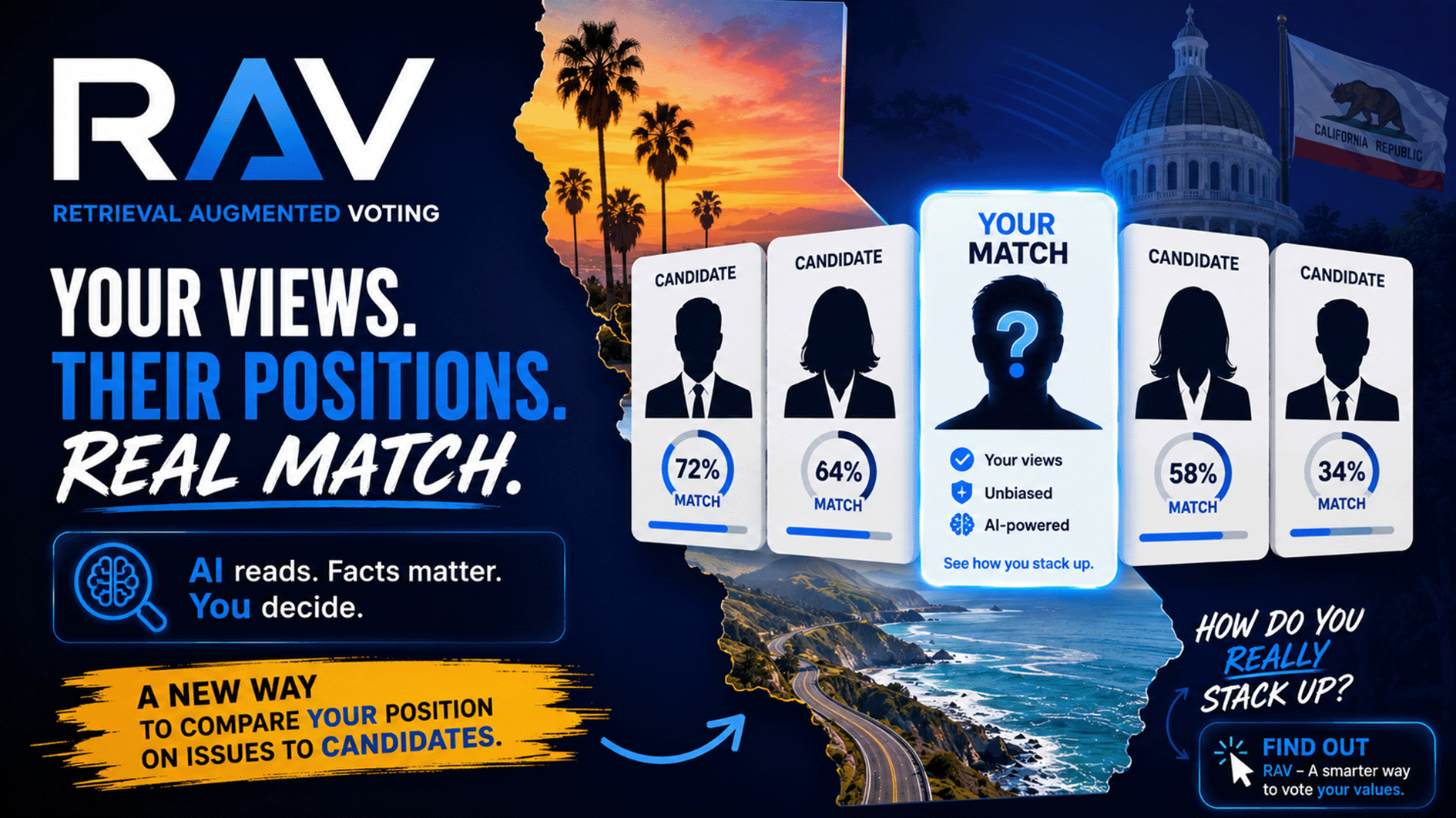
I just launched a site to help with the large field of candidates for California Governor in the June primary.

This is much better than the spreadsheet. Instead of binary positions you answer ten questions with a sentence or two outlining your position on each issue. It doesn't need to be an essay, this works well with pretty directional statements. For each issue you also indicate how much you care on a 1-5 scale.

The site calculates the match between you and each candidate, weighted based on issue importance and then returns a ranked list as well as a summary of the candidates positions on each issue. Positions are included for Xavier Becerra, Chad Bianco, Steve Hilton, Matt Mahan, Katie Porter, Tom Steyer, Tony Thurmond and Antonio Villaraigosa.

Unfortunately it can't help with the tactics of voting in a jungle primary. I really wish ranked choice voting was a feature of this election so I could vote my preference without fear of allowing one of my least favorite candidates to reach the general election.

Technically this site is an experiment in using a lot of AI.

I researched candidate positions using OpenAI deep research to arrive at a brief paragraph for each candidate and issue.

The UX is courtesy of Claude Design which created a design system based on this blog but punched up the look and feel for a new microsite.

The site itself was created with Codex and GPT 5.5 and lives in a Cloudflare worker.

Candidate ranking is based on vectors - candidate and user positions are converted to embeddings using OpenAI text-embedding-3-large and then cosine similarity and simple weighting of issue importance generates the final score for each prospective Governor.

All of that probably took the same amount of time as the spreadsheet version from 2020.

Because of the embeddings I call this Retrieval Augmented Voting, check it out at rav.ithoughthecamewithyou.com.

Update AWS EC2 inbound security group rules when your IP address changes

By . Updated on

AWS IP Update, a Windows Tray application that automatically updates EC2 inbound security rules when an IP address change is detected.

I just released AWS IP Update, a Windows Tray application that updates inbound security group rules on AWS EC2 when your IP address changes.

This has been vaguely on my to-do list for years. I didn't bother because I knew how tedious it would be from that time I pulled Azure metrics into Google Data Studio (now Looker) via Apps Script. This whole thing was banged out by Claude Code in five volleys, and I think I wasted those because it could probably have single-shotted it. I did not write a character of code, and it was faster to create than the way I used to get access.

I have a monthly sys admin day where I patch all the things, pull a Google photos archive and run an old fashioned backup to an external hard drive. The hardest part of this psychologically has been getting access to AWS to patch by blog server and pull a backup. My IP address has changed, and I need to log into AWS, find the right settings, look up my external IP address (Google Search used to just show this but it's been broken for ages) and update the EC2 security group. Every other part of the routine is easy, the access part always bums me out. So this is a quick AI tool that not only saves a few minutes a month, it also helps with mood and blood pressure.

Links for April 2026

By . Updated on
No, Britain Is Not Having a Christian Revival

Reminder that when it's too good to be true, it's not true and vice versa. #etc #religion


I'm following @snarfed.org@snarfed.org. ∞


Microsoft Quietly Killed Opus on the $10 Copilot Pro — Here's the Math on Whether You Should Cancel

The copilot free-ish ride is over. I was not happy to see the slimmed down model list yesterday. Luckily I have Claude Code and Codex. #ai #claude #copilot

Seervo, an LLM Powered Robot

By . Updated on

Seervo LLM AI Robot

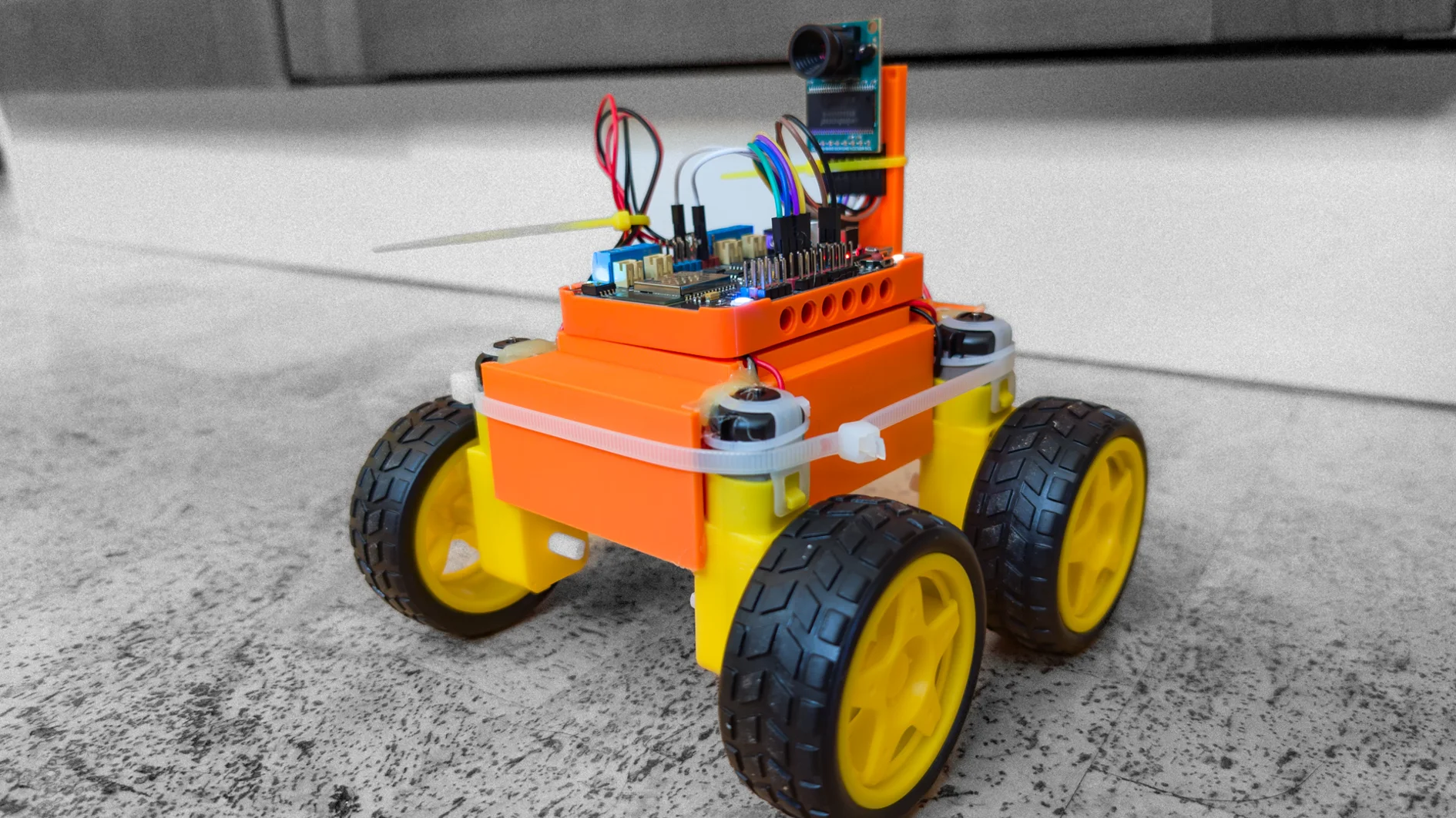
I just released Seervo, an open-source LLM-powered robot. The GitHub repo contains source code, a shopping list and 3D files to print the chassis.

Seervo sends an image from its camera to GPT 5.4. The LLM can decide to change the colors of four LEDs and to drive the motors. It has the objective of finding and entertaining humans while avoiding pets at all costs. The video below shows it mostly trying to escape from my dog:

The robot is based on an ESP32 microcontroller with a camera, some motors and a battery. The client code is MicroPython and it talks to an ASP.NET core web service that handles the LLM control calls. You could do everything on the ESP32 but it's easier to tweak prompts and see where it's going wrong with a local server. The server additionally stores memories so the robot can remember what it has been doing recently, and handles memory compaction so any really useful knowledge is retained in the context window.

The code was all written using Claude Opus 4.6. The chassis was designed in OpenSCAD using ChatGPT - something that has been a struggle before but GPT 5.4 can iterate on a 3D model with pretty vague directions.

Let me know if you build one!

Updated 2026-04-05 23:22:

Added an HC-SR04 ultrasonic distance sensor so the robot can now tell how much clear space there is in front of it. Tuned the instructions to use this data and also with formulae to convert distance and rotation to approximate motor run time. This all makes the robot a lot more confident in its movement.

Do I agree with San Francisco?

San Francisco Ballot Measures

I've sometimes wondered how often I agree with San Francisco on the endless ballot measures. I have a vague sense after each election but I've never bothered with the bigger picture. Thanks to AI it's now a pretty easy question to answer - I fed blog posts to ChatGPT and then the resulting data to Claude Opus to whip me up some python visualization. Which looks like this:

That's a decade of trying to understand what the measures actually mean and do the right thing.

Maybe there is a downward trend, but throw away the outliers and I'm pretty solidly around 70%. San Francisco should save the money and just ask me.

Workspace Studio and Read-only Sheets

By . Updated on

A Google Workspace Studio Flow

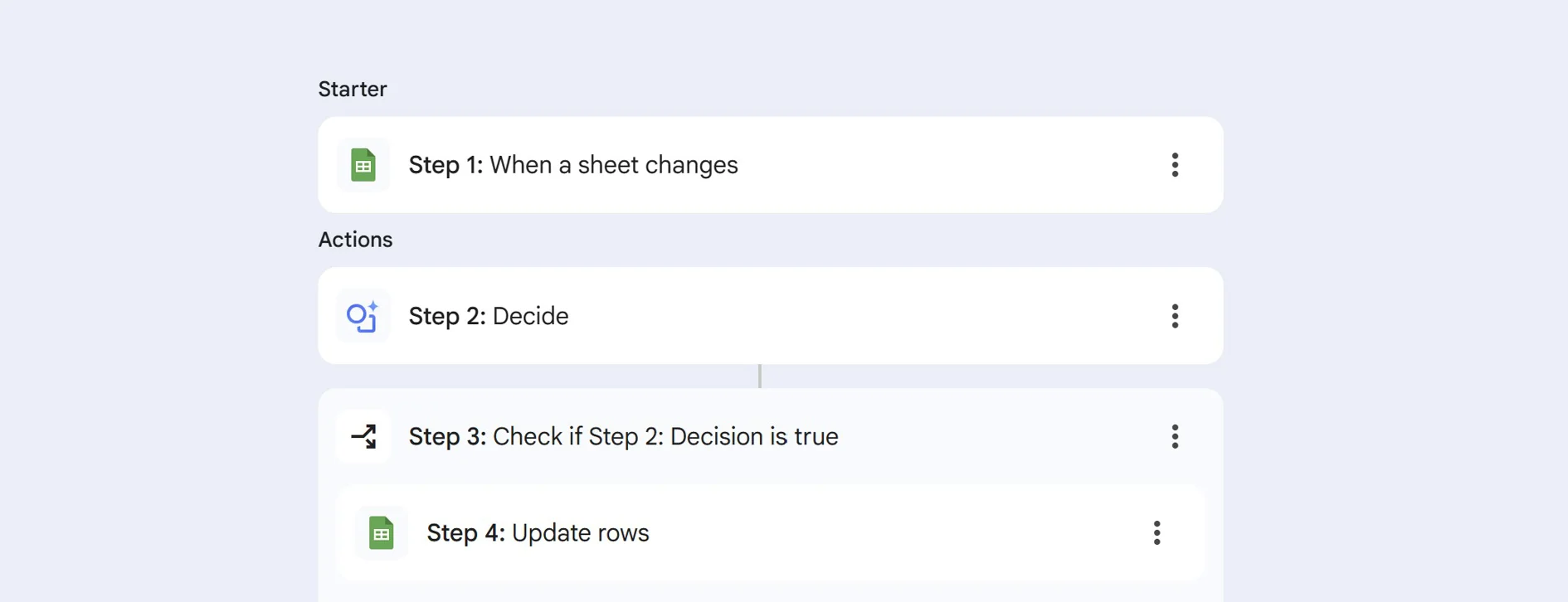
As an Apps Script addict I was excited to experiment with Google Workspace Studio. It's a no code automation tool in the typical flowchart style with the addition of Gemini, so you can use AI for decisions and text manipulation. Unfortunately it failed hard on my first task.

I have a spreadsheet that pulls in Google Fit data, and another one that combines that with other goals to create an overall lifestyle score. Occasionally I copy data from one sheet to the other and automating this has been on my todo list for years with absolutely no chance of getting to done. Workspace Studio should have made this easy.

Building the flow was straightforward, but the steps that write new data were flagged as being in an error state, although no actual errors were flagged in the configuration for the steps. Opening and closing the flow unsettlingly cleared the errors. I started the flow and hoped for the best, but got this error:

"Couldn't complete. Check that the spreadsheet is private and doesn't use the IMPORTRANGE function."

At first I thought this must be inverted and the sheet needed to be shared in some way... but no, it's true, you can only update a private sheet. Which is useful in a trees falling with no one watching kind of way.

I share this mostly because googling the error came up short (and the AI overview is unhelpfully talking about sharing the sheet). Workspace Studio is only a few months old and hopefully this limitation will be fixed. There are some nice features in preview, like webhooks, raising the prospect of handing over to apps script if the flow can't do quite what you need. This should be a nice piece of the AI automation puzzle as it matures.

Autonomy Minus

A Turn Signal, Recently

Rivian is about to start charging for cruise control. Which sucks. It's handy for long stretches of I-5, but generally I enjoy driving so I'm not planning to shell out unless they offer a day pass.

There is something I would pay for though.

Fix the fucking turn signal.

I'm pretty sure this wouldn't even need an AI supercomputer. I'm not an automotive engineer but I've sketched out a rough design for this:

  1. When you are already signaling one direction, moving the stalk the other way just cancels the signal.

I should probably file a patent before hitting post.

Every car I have owned or rented made the other choice and so trying to cancel the turn signal just lights up the opposite direction. A behavior I need once a decade or so, but the rest of the time I just completed a less than 90 degree turn and I'm ready to stop signaling. Instead I have turn signal tourette's for the next mile. I'd pay a buck or two a month to not do that.

Route Map

By . Updated on

Robert Ellison's Route Map

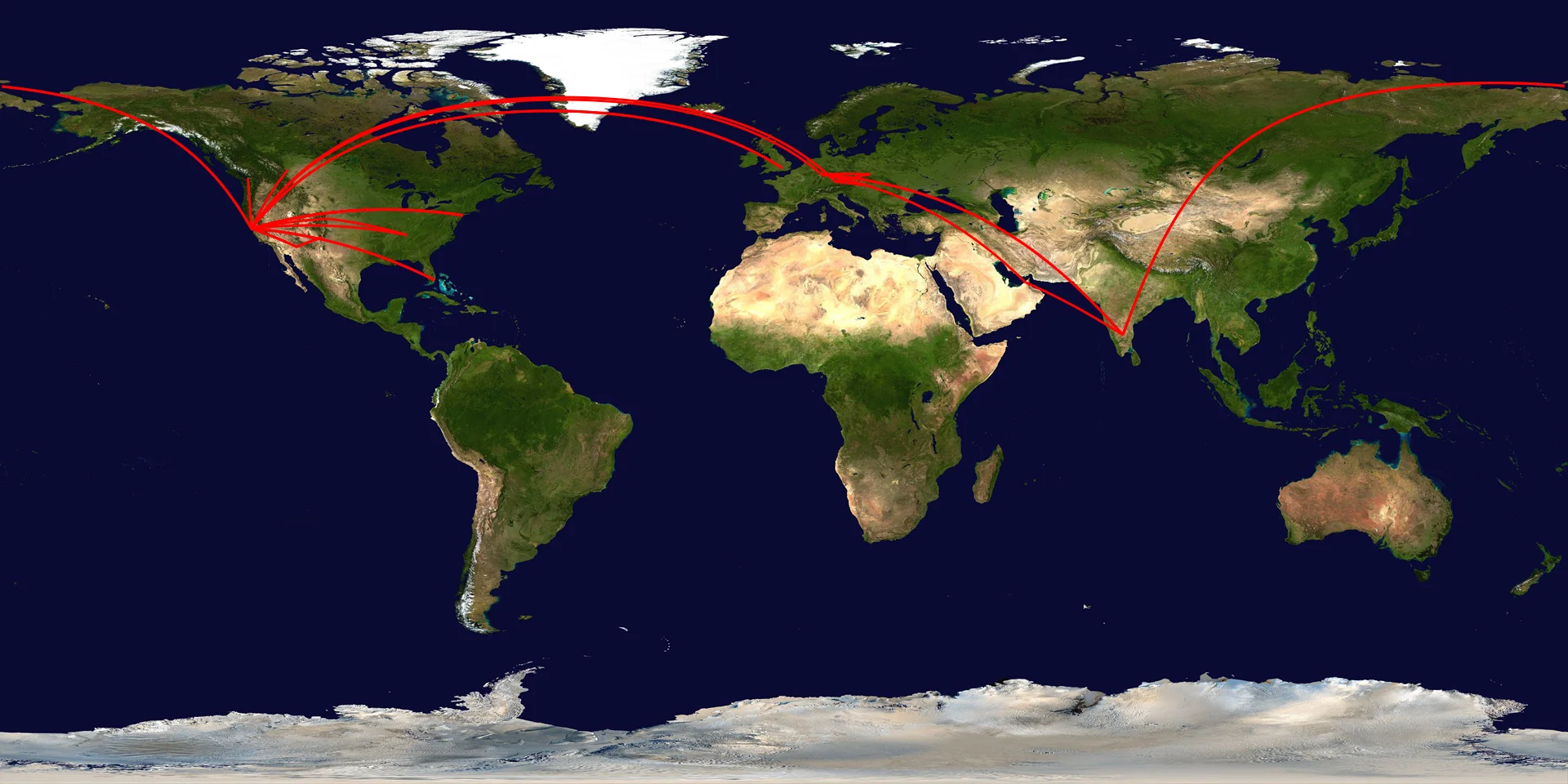
I have been in the habit of posting each plane I fly on for a long time.

This started on Twitter, where for a while there was this #boarding hashtag so you could chat with people in transit from the same airport by IATA code (like #boarding #sfo). That dropped out of usage, because why would you do that, but I continued on Facebook until I deleted social media in 2018. After a brief lapse I started posting to my blog. I have a vague intention to resurrect some older flights with AI and build out a more complete history.

After adding flights here for a few years it seemed like a good idea to do some visualization. The image above (click for a larger version) is my current route map, updated after each flight. The routes are great circles rather than the actual track (created via the .net version of GeographicLib and this geolocation of airports). You can view individual flights here. I could probably use a carbon offset or two (unless this).

Required disclaimer:

This site or product includes IATA/ICAO List data available from https://github.com/ip2location/ip2location-iata-icao.

Updated 2026-02-07 23:07:

The vague intention turned into a mild obsession and so I mined email for more flights. I have email going back to 1996 and quickly whipped up two scripts via GitHub Copilot and Claude Sonnet 4.5 to process them. The first searched and downloaded any likely candidates from gmail and converted the HTML email to markdown to save on tokens. The second ran all the candidates through GPT 5 mini to extract the details. I then added a few older flights from memory resulting in the image above. There are some work emails I don't have access to so I'm sure it's not totally comprehensive, but I'm now up to 300 flights and approximately 868,381 miles.